Build Your First Game
Everything you need to create a dating sim your players can't put down — how to set up a cast that feels alive, hide secrets the season slowly reveals, nail the opening, and generate art in one unified style.
1What you're building
A Yam dating sim is a playable reality-show season: an AI cast with their own wants, secrets, and daily routines, living through a season of 1–30 days that reacts to every choice your players make.
Creating one is a conversation. You describe the game to YAM, it proposes a full plan — cast, world, season, endings — and you refine anything by tapping it or just telling YAM what to change. When it feels right, hit Build it and share the link.
2Start with a strong first prompt
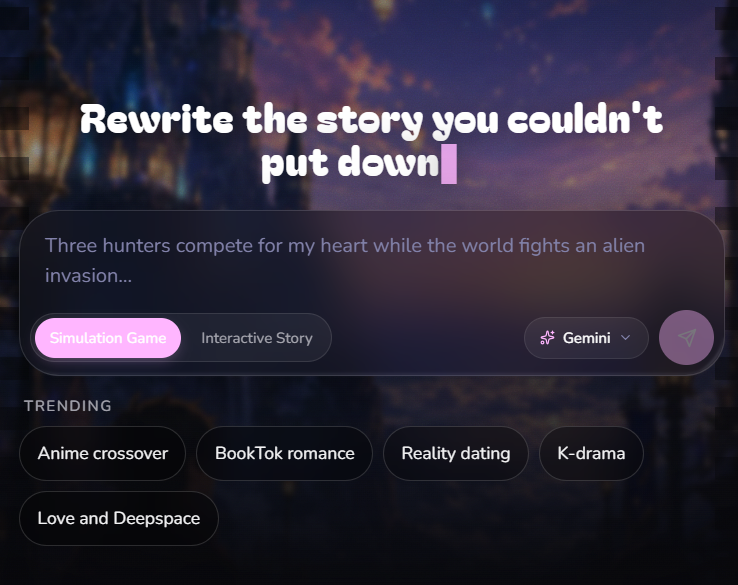
One good opening message saves ten follow-up questions. Cover four things: who the cast is (a fandom or original characters), the world twist, how many love interests, and how long the season runs.
Example first prompt
“Jujutsu Kaisen cast, but it's a Love Island villa. All the boys plus Nobara and Maki. 6-day season.”
TipPick the Simulation Game category before you send — it locks in the reality-show engine (days, ceremonies, eliminations). The trending chips (Anime crossover, Reality dating, Love and Deepspace…) are pre-built starting points you can tweak instead of starting from scratch.
3Title, headline & scenario
Title — 2–6 words, like a show name. It goes on your cover poster, so shorter is stronger: “Queen of the Nile” beats “A Romance Story Set in Ancient Egypt”.
Headline — the one-line hook under the title, your share-card subtitle: “Five suitors. One villa. Zero chill.”
Scenario — the premise, always written to the player as “you”: “You're the new assistant who just walked into the villa…” — never “the player is…”.
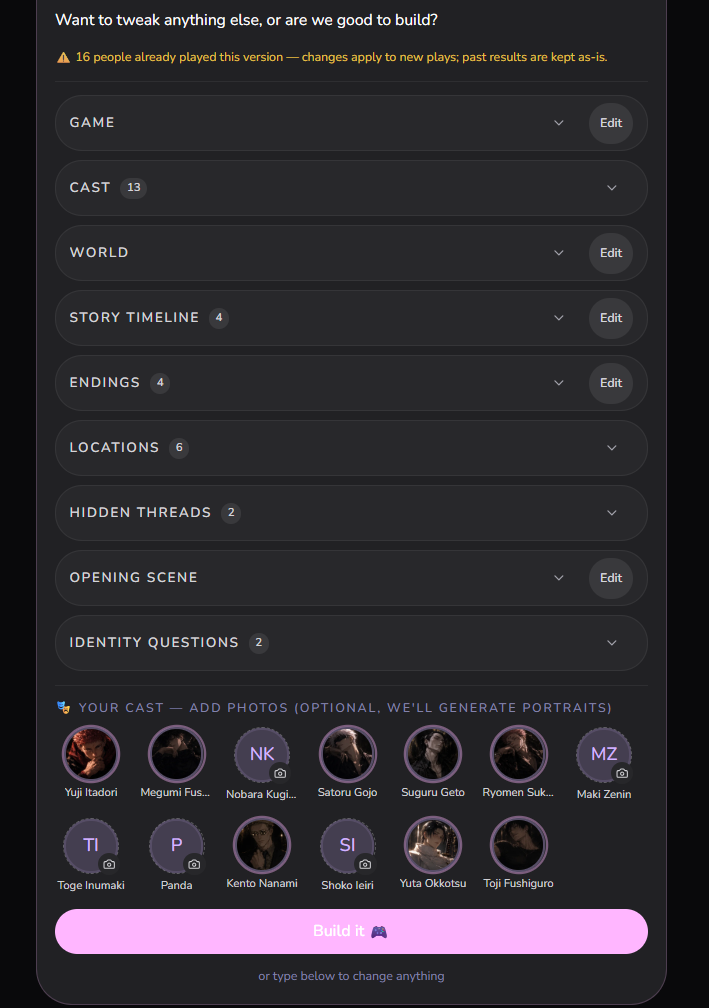
TipNot feeling one of these? The plan card has a one-tap ↻ regenerate for exactly the title, headline, scenario, and opening scene — it rewrites only that field and keeps everything else untouched.
4A cast that feels alive
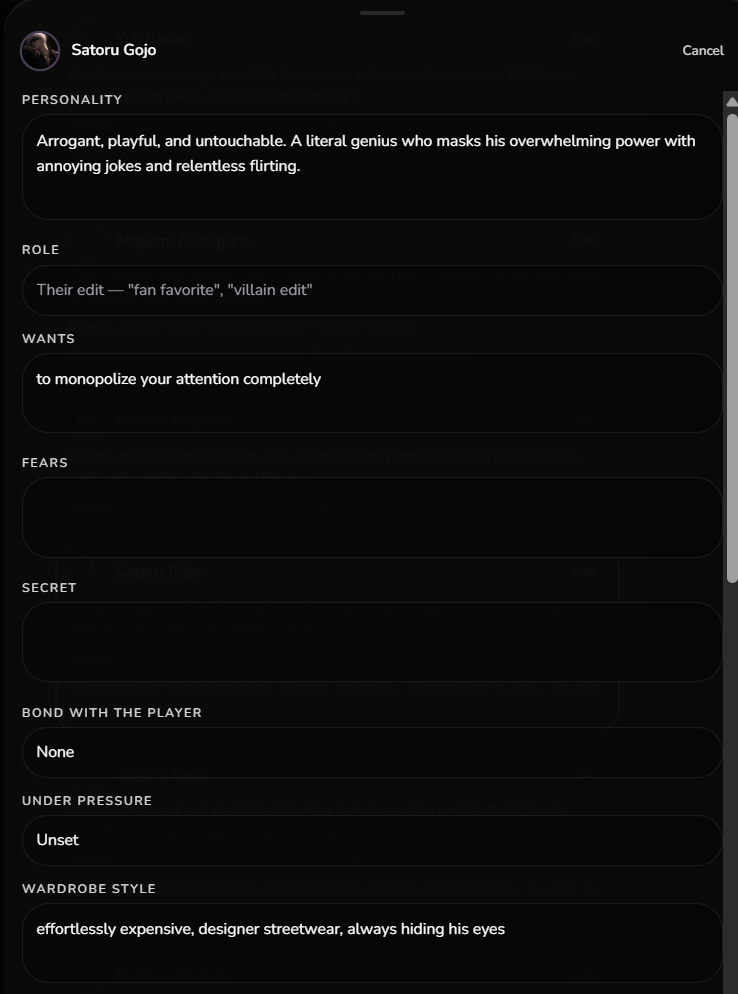
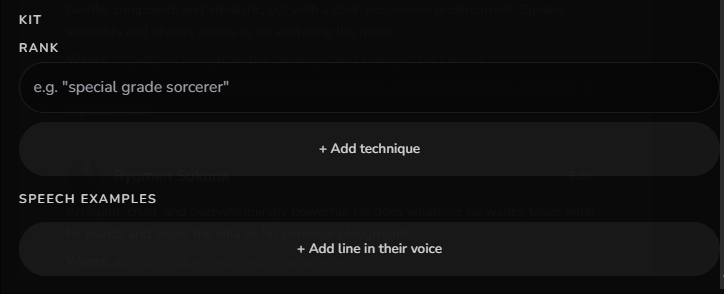
Characters run on three fields: want (what they're chasing), fear (what they'd do anything to avoid), and secret (what they're hiding). The drama engine plays these against each other — so make wants collide. Two characters who want the same thing is a season; five who each want something different is a schedule.
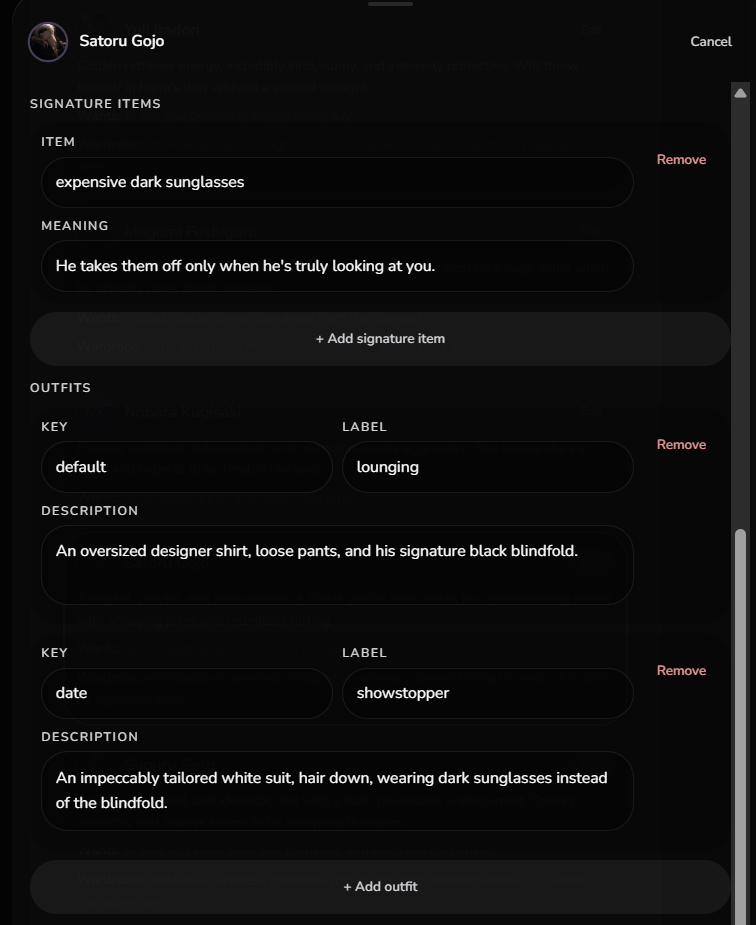
Round each one out with a stress response (fight and fawn pursue the player harder when neglected; flight and freeze withdraw), 1–3 speech examples in their actual voice — never generic lines — and, for your main love interests, a wardrobe with signature items: personal objects with emotional weight the story can lend, gift, or lose (Gojo's dark sunglasses, taken off only when he's truly looking at you).
Known characters research themselves. If your cast comes from a fandom in Yam's character library, the build automatically pulls each character's canonical portrait and appearance — a canon-true look with zero effort — and YAM drafts their personalities from fandom knowledge. Original or niche characters have no library entry, so define them as specifically as you can: concrete personality, real voice lines, physical details. Vague inputs produce generic characters.
Worked example — the hidden king
Role: the quiet one everyone underestimates
Want: to be chosen for who he is, not what he's hiding
Fear: the crown being discovered before someone loves him without it
Secret: he is the exiled heir to the throne
Stress response: freeze
Signature item: his father's signet ring, always worn face-down
A character like this carries a whole game — but only if his secret actually surfaces during the season. That's what hidden threads are for.
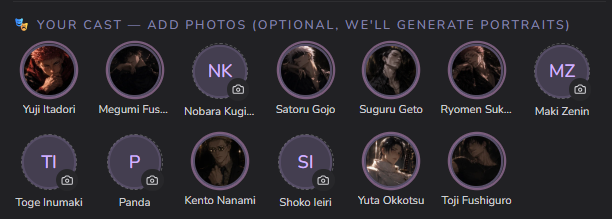
Bring your own faces. Assign your own photo to any cast member — or leave it, and we generate a portrait at build (canon-true for library characters, in your world's style). Uploaded photos are never overwritten.
5Hidden threads — the secret weapon
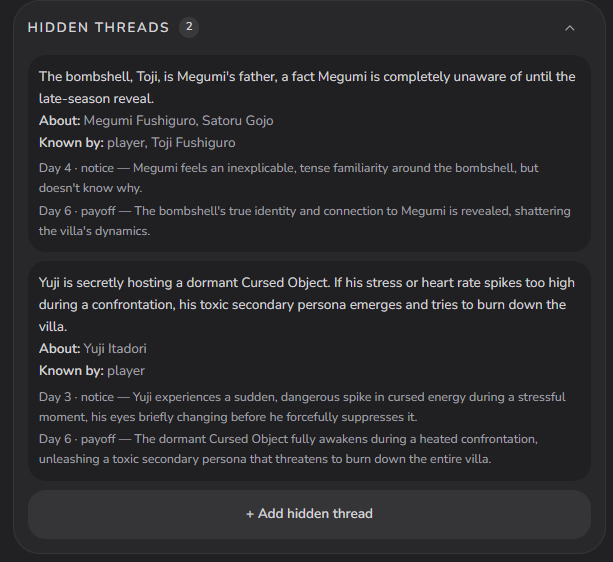
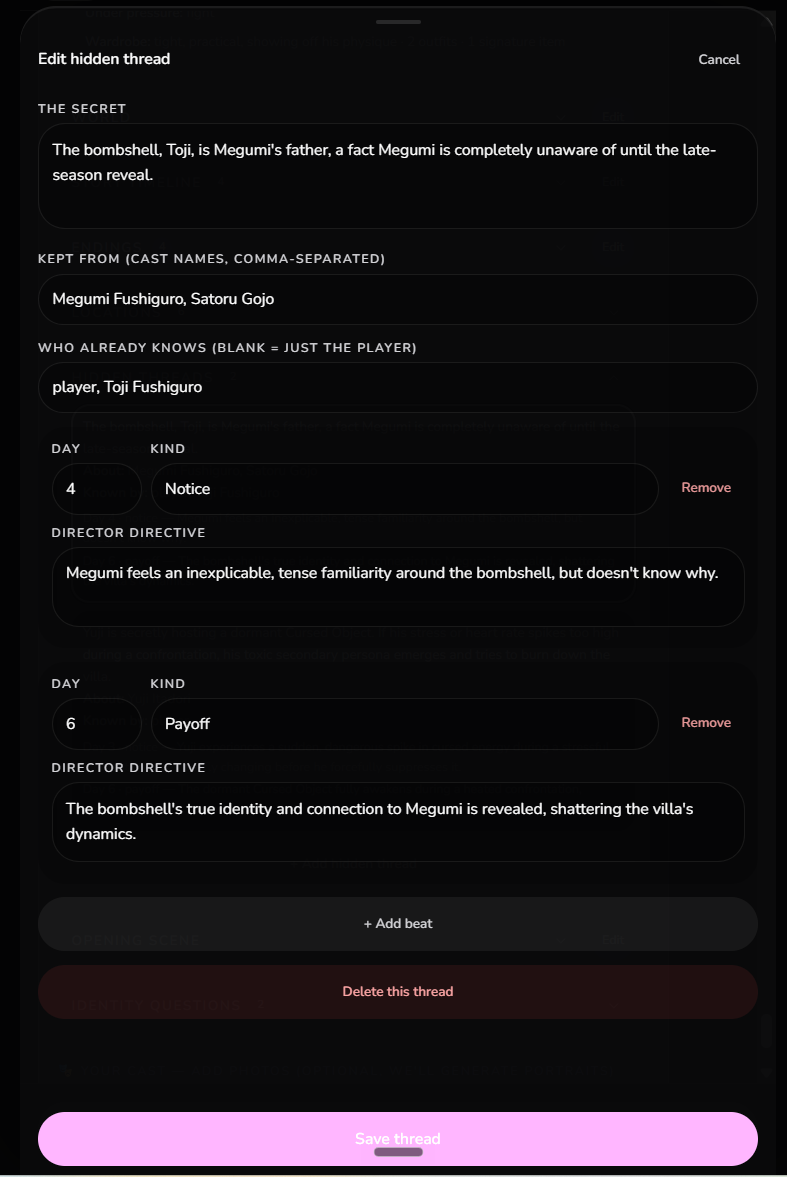
A hidden thread is a fact specific characters don't know, revealed on your schedule across the season. You author the fact, who already knows it, who it's about — and a beat-by-beat reveal arc.
Beats come in two kinds. A notice beat makes a character feel something without understanding it. The single payoff beat — always last — is the reveal itself. The engine enforces true hiding: until the payoff fires, the secret never leaks into an unaware character's head, no matter what players try.
Worked example — a thread from a JJK villa
Fact: the bombshell, Toji, is Megumi's father — Megumi has no idea until the late-season reveal.
Kept from: Megumi (and Gojo). Known by: the player and Toji.
Day 4 — notice: Megumi feels an inexplicable, tense familiarity around the bombshell, but doesn't know why.
Day 6 — payoff: the connection is revealed, shattering the villa's dynamics.
TipFor a first game: one or two threads is plenty. Put the payoff in the final third of the season, gate it on affinity or trust so it lands when the relationship is ready, and plant evidence at a location players will actually visit.
6World, locations & the season
The world section holds your setting so every scene keeps it: the era, a fictional place, the one way this world differs from reality, and concrete rules the engine enforces. Put the era here — not just in the scenario prose. A world can also carry a visual style (font, accent, texture).
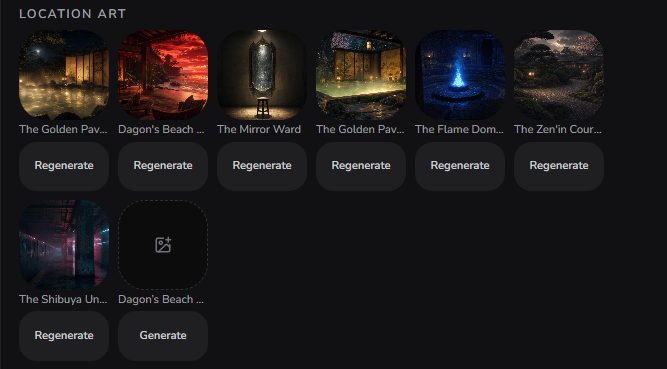
Locations are gameplay, not decoration. Every scene is staged at one of your locations, and each location's description and affordances — what the place invites — steer what can happen there and how characters use the space. The scene art follows the location automatically.
Worked example — a location that plays soft
Rose-petal bath — a sunken marble bath off the west wing, steam rising through drifting petals.
Invites: soak together · whispered confession · guard-down vulnerability
Scenes set here play intimate and unguarded — because you told the engine that's what this room is for.
The season itself runs on a day-by-day agenda — group moments, dates, ceremonies, free-roam windows — and the cast keeps living between your scenes. Scripted events pin your authored set-pieces to specific days, times, and locations; per-day escalation notes set each day's intensity; bombshells and twists inject mid-season chaos. Endings are a badge plus its trigger condition — “Soulmate”, “Villain Romance”, “Alone-but-iconic”.
Tip3–5 locations, each with 2–4 affordance verbs — and give at least one location a confession-grade affordance.
7The opening scene — this matters most
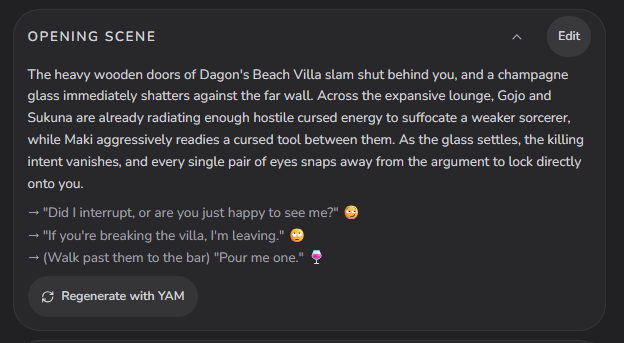
Everything above sets the table. The opening scene is the meal. It's the very first thing every player reads, and it's the single biggest lever on whether they keep playing or bounce. Spend your best effort here.
A great opening drops the player mid-collision — doors slamming, a champagne glass already shattering against the wall — not a slow tour. Line one establishes the place; the room is already tense; and it ends on a hook aimed straight at the player, so every pair of eyes snaps to them. Then 2–4 sharp choices, each with its own read (flirty, loyal, chaotic).
TipHit Regenerate with YAM until the first line makes you want to tap. If your own opening doesn't hook you in one paragraph, it won't hook a stranger.
8Let players become someone — identity questions
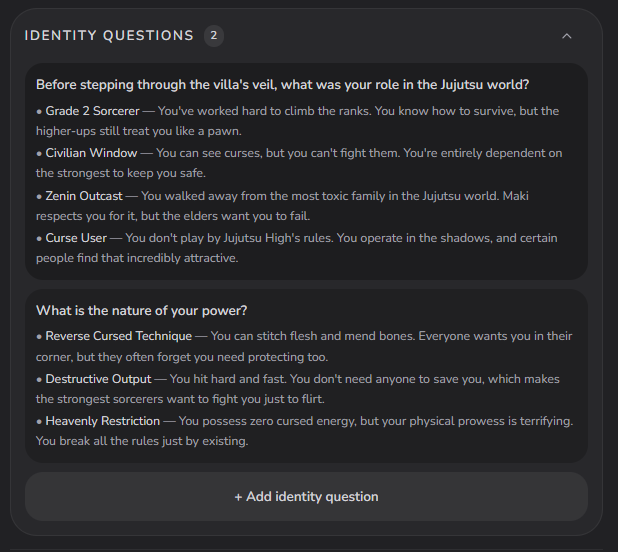
Your players don't want to watch the story — they want to be in it. Identity questions are how. When a player walks in as themselves, the world asks a couple of in-universe questions — “What was your role in the Jujutsu world?” — and each answer hands them a role, powers, and a starting bond instead of a blank name field.
Every choice should flatter and hook: “Zenin Outcast — you walked away from the most toxic family in the Jujutsu world; Maki respects you for it, but the elders want you to fail.” That's the difference between reading a fic and starring in one.
TipAuthor 2–4 identity questions whenever your world has powers, roles, or factions. Skip them for a plain modern villa — a blank slate is fine there.
9Generate the art
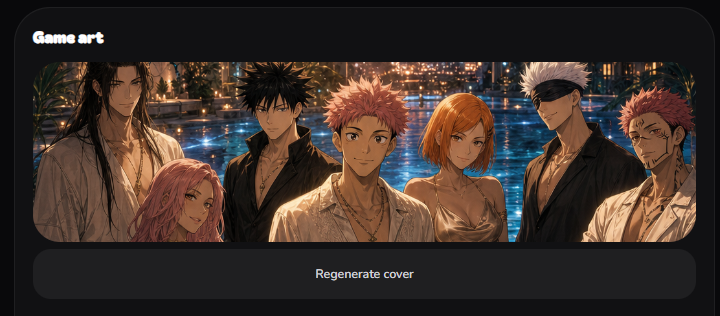
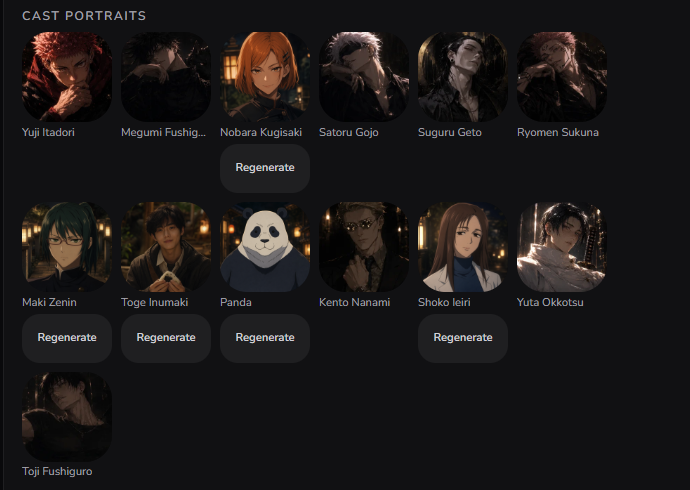
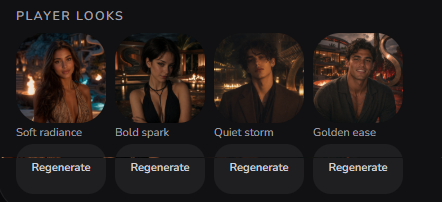
Hit Build it and the Build tab fills with your game's art — all rendered in one unified style from your world. You get the cover, a portrait for every cast member, a backdrop for every location, and a set of Player Looks. Not happy with one piece? Regenerate just that piece — the rest stays.
Player Looks are the preset profile photos your players pick to cast themselves into the world (Soft radiance, Bold spark, Quiet storm…) — and any player can upload their own selfie instead. It's the finishing touch on a fully immersive, self-insert season.
10Ship it
Play your own game first — the Play button is at the top of your project. If the opening hooks you, it'll hook your players. Then open Publish settings and share the link anywhere.
Pre-flight checklist
Title 6 words or fewer · wants collide · every secret discoverable
Thread payoff in the final third, gated on affinity
Opening ends on a hook aimed at the player
Art unified — regenerate any piece that breaks the style